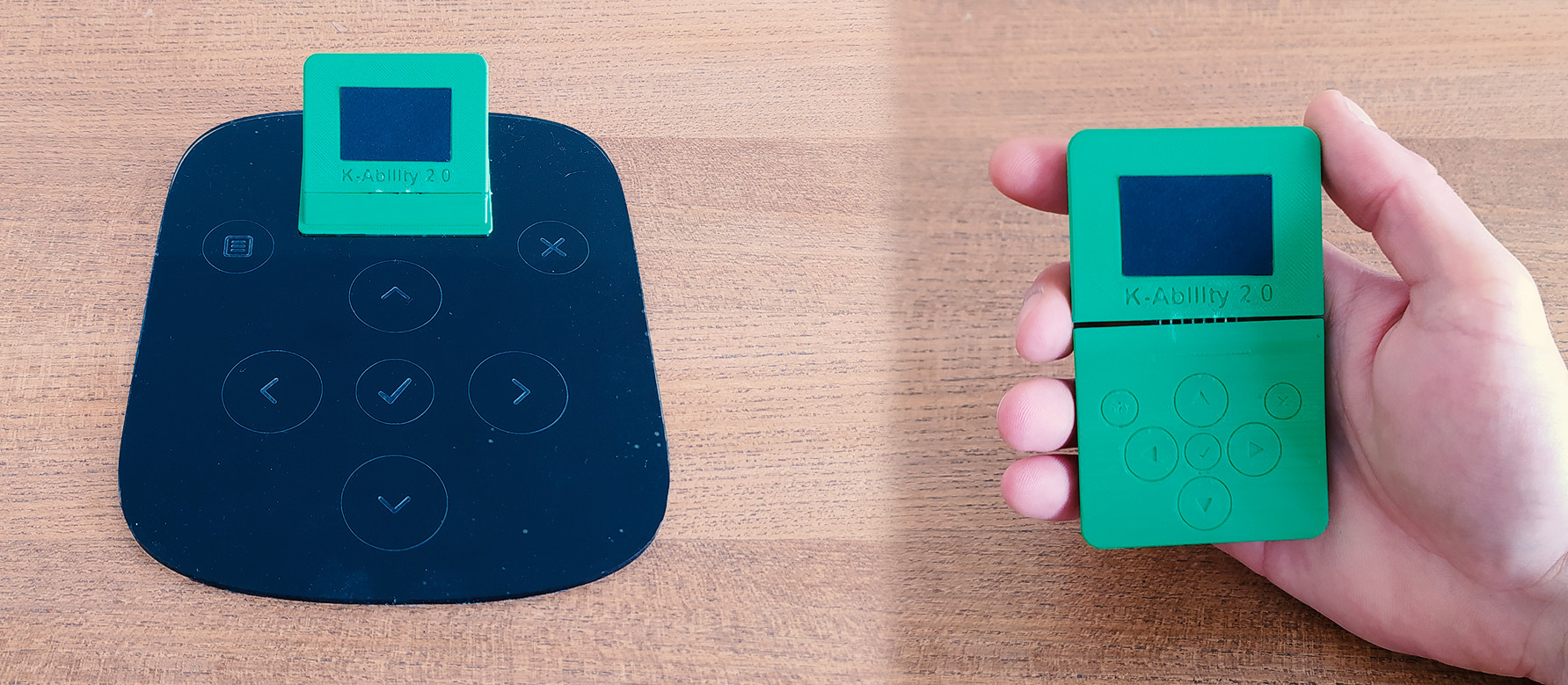
For years, the standard computer keyboard has been treated like a sacred object: flat, rectangular, and apparently perfect for everyone. Of course, real life laughs at that idea. Hands vary. Reach varies. Strength varies. Pain tolerance definitely varies. What feels natural for one person can feel like a tiny ergonomic betrayal for another. That is exactly why the modern accessibility keyboard is getting so much attention. It is not trying to be fancy for the sake of it. It is trying to be useful.
And usefulness, as it turns out, looks a lot like modular design. A modular accessibility keyboard setup lets people change how they interact with a computer without rebuilding their entire world around one rigid device. Instead of forcing users to stretch, twist, or memorize awkward shortcuts, these systems let inputs move closer, get larger, become simpler, or work in a way that better fits a person’s body and workflow. In plain English: the keyboard is finally learning some manners.
What an Accessibility Keyboard Really Means Today
When people hear the phrase accessibility keyboard, they often picture a giant keyboard with oversized keys. That is still one valid type of assistive input device, but the category has expanded. Today, an accessibility keyboard can also mean a modular input system that replaces or extends standard keyboard tasks through programmable buttons, adaptive switches, alternative layouts, and customizable shortcuts.
That broader definition matters because accessibility is not one-size-fits-all. Some users need larger targets. Some need fewer keystrokes. Some need inputs positioned on a tray, wheelchair mount, desk edge, or armrest. Others need a setup that reduces wrist strain, limited finger motion, or fatigue during long work sessions. A practical accessibility keyboard does not insist on one method. It creates choices.
This is where modular input systems stand out. Instead of offering a single “special keyboard,” they break the experience into parts: a hub, separate buttons, optional switch connections, custom toppers, and software-based profiles. That flexibility is the difference between “interesting product demo” and “I can actually use this every day.”
Why Modular Design Matters So Much
It lets the device fit the person, not the other way around
Traditional keyboards assume a fairly narrow set of movements: two hands, predictable reach, repeated finger taps, and steady posture. Modular accessibility tools reject that assumption. They allow a user to place controls where movement is easiest and safest. That can mean a large button near the elbow, a joystick-shaped topper near the stronger hand, or a simplified input layout for repetitive tasks.
This design philosophy is especially important for users with limited dexterity, mobility differences, tremors, chronic pain, repetitive strain issues, or temporary injuries. A modular setup can also be useful for anyone recovering from surgery or adapting to new physical needs. In other words, accessibility hardware is not niche in the way many people imagine. It often solves very mainstream problems that just happen to be ignored until someone’s wrist starts filing formal complaints.
It reduces complexity in daily computer use
Computer work involves a surprising number of repeated actions: copy, paste, mute, open email, switch apps, scroll, zoom, navigate menus, and trigger shortcuts that seem designed by a committee of octopuses. A modular accessibility keyboard setup can turn multi-step actions into one easy press. That reduces strain, saves time, and makes digital tasks more approachable.
For many users, that is the practical magic. Accessibility is not just about making something possible. It is about making it sustainable. A task you can do once is not the same as a task you can do fifty times a day without pain, exhaustion, or frustration.
Microsoft’s Adaptive Approach Shows Why This Category Works
A strong example of the modular accessibility keyboard idea comes from Microsoft’s Adaptive Accessories ecosystem. While Microsoft does not market one device as a traditional “accessibility keyboard,” its Adaptive Hub and Adaptive Buttons effectively work as a keyboard alternative or keyboard extension. That distinction is important because it reveals where assistive hardware is heading: away from rigid all-in-one devices and toward configurable input systems.
The Adaptive Hub acts like the brain
The Microsoft Adaptive Hub is designed to augment traditional keyboards and create custom inputs. It serves as the central connection point for adaptive buttons and third-party assistive switches. In practical use, that means one compact hub can coordinate multiple controls without turning a desk into a spaghetti bowl of cables and confusion.
It also supports profiles, which is a very big deal in real life. One profile can be set up for general navigation, another for a work app, and another for a task like editing, gaming, or communication. Instead of relearning everything each time, the user can switch modes and keep moving. That is not just convenient; it is the kind of convenience that changes whether a setup feels empowering or exhausting.
The buttons act like keys you can actually customize
Microsoft’s Adaptive Buttons come in different topper styles, including D-pad, joystick, and dual-button options. The clever part is that these are not just novelty attachments. They allow people to interact with their device in ways that better match strength, movement, and preference. A button can trigger keyboard shortcuts, macros, navigation actions, or app commands. In short, the “keyboard” becomes whatever set of inputs the user truly needs.
That is why calling this sort of system modular and practical is fair. It is modular because pieces can be chosen individually. It is practical because those pieces solve real tasks: opening programs, reducing repeated keystrokes, navigating more comfortably, and controlling apps with less effort.
Customization goes beyond the box
One of the more exciting ideas in this space is 3D-printable customization. Microsoft has leaned into that concept by supporting additional printable designs for accessories and toppers. This opens the door to more personal setups without forcing every user into the same shape, grip, or angle.
That matters because assistive technology often becomes most valuable when it stops pretending people are identical. A device that can be modified, re-positioned, or reshaped has a better chance of remaining useful as a person’s needs change over time.
Why This Kind of Accessibility Keyboard Feels Practical, Not Experimental
It works for productivity, not just accommodation
One of the smartest things about modular input hardware is that it does not scream “special device” from across the room. It simply works. That matters psychologically as well as physically. Many users do not want a tool that feels stigmatizing or overly medical. They want something modern, clean, and effective.
Modular accessibility keyboards and input hubs are practical because they support ordinary tasks: writing documents, answering emails, launching apps, scrolling pages, attending meetings, editing images, or moving through menus with fewer steps. The result is not some futuristic fantasy. It is a calmer, more manageable workday.
It can improve comfort for more people than expected
This kind of hardware is often discussed in the context of disability, and rightly so, but the design benefits spill over. Writers with wrist pain, office workers with repetitive strain, students dealing with temporary injuries, and even power users who want faster one-touch shortcuts can all benefit from modular inputs.
That wider usefulness is part of what makes the category so compelling. Good accessible design often ends up being good design, period. Curb cuts helped wheelchair users and also helped parents with strollers, travelers with luggage, and delivery workers with carts. Adaptive input hardware follows the same logic. Make the system more flexible for one group, and suddenly a lot more people find it helpful.
It is portable enough for real life
Practical accessibility products cannot live only on a showroom table. They need to travel, fit into small workspaces, and survive the chaos of modern life. Modular systems do well here because users can build only what they need. A smaller configuration may be enough for travel or a coffee shop session, while a larger desk setup can stay at home or in the office.
That flexibility keeps the technology from becoming “the thing I use only in one room on alternate Tuesdays.” For assistive tech to matter, it has to be reachable, repeatable, and easy to understand. Modular hardware gets surprisingly close to that goal.
Where Modular Accessibility Keyboards Still Need Improvement
No honest review of the category should pretend everything is perfect. Modular accessibility hardware is promising, but it still comes with trade-offs. First, setup can take time. Customization is wonderful until it turns into an unplanned afternoon project. Some users will need guidance to choose the right modules, map controls, and build the most effective layout.
Second, price can be a barrier. Buying a hub plus separate modules is not always cheap, especially compared with a standard keyboard. At the time of writing, Microsoft lists the Adaptive Hub at $99.99 and individual button modules at $59.99 each in the U.S. store. That pricing is understandable given the category, but it still means accessibility can carry an extra cost, which is never ideal.
Third, software customization has to stay intuitive. Hardware may be beautifully designed, but if the app used to assign actions is confusing, the whole experience can wobble. The best accessibility technology balances power with simplicity. Users should not need a minor degree in menu archaeology to set up a shortcut.
Who Benefits Most From a Modular Accessibility Keyboard Setup?
The short answer is: more people than you might think. Users with limited mobility, dexterity challenges, chronic pain, arthritis, hand injuries, neuromuscular conditions, limb differences, or fatigue-related issues may find the biggest benefit. But the idea also helps professionals who spend long hours at a computer and need more ergonomic ways to trigger repetitive commands.
Students can benefit from simplified inputs during note-taking and navigation. Remote workers can create easier one-touch meeting controls. Creative professionals can map frequent commands without performing finger gymnastics. Gamers can translate accessibility innovations into productivity setups. Once the keyboard becomes modular, it stops being a fixed object and starts being a system.
How to Tell If a Modular Accessibility Keyboard Is Right for You
Start with the problem, not the product. Are you trying to reduce pain? Reach fewer keys? Use larger targets? Replace repeated shortcuts? Improve one-handed access? Support switch input? The best setup is the one that answers your real-world friction points, not the one with the fanciest brochure.
Next, think about environment. Will the device live on a desk, wheelchair tray, bedside table, classroom station, or mobile cart? Modular gear shines when placement matters, so physical layout should be part of the decision.
Finally, remember that “practical” usually means adjustable over time. Your needs may change. Your workflow may change. Your comfort may change. A good accessibility keyboard setup should be ready for that. If it cannot adapt, it may not stay useful for long.
Real-World Experiences With a Modular Accessibility Keyboard Setup
In real-world use, the biggest surprise about a modular accessibility keyboard is how quickly it stops feeling unusual. At first, many people expect a learning curve that feels dramatic, like switching from a bicycle to a spaceship. In practice, the adjustment is often much more ordinary. A user begins by assigning one or two tasks to a button: open email, mute the microphone, copy and paste, scroll, or move through a menu. Once those actions become reliable, the hardware fades into the background. That is one of the strongest signs of good design. The device does not need to feel magical every minute; it needs to feel dependable.
For a writer or office worker dealing with wrist pain, the experience can be especially noticeable. Repetitive keyboard shortcuts are often small movements, but they add up over the course of a day. When a modular input button handles a common action with a larger, easier press, the difference can feel less like a dramatic breakthrough and more like a constant low-level relief. That kind of improvement is hard to photograph, but very easy to appreciate by 4:30 p.m.
For someone with limited hand mobility, the practical value becomes even clearer. A traditional keyboard demands precision over and over again. A modular system can reduce that precision requirement by allowing larger targets, fewer inputs, better spacing, or more comfortable positioning. Instead of reaching across a full keyboard for a command, the user can place a button exactly where it makes sense. Near the stronger side. Near the elbow. Near the chair arm. Near the place the body already wants to move. That makes the setup feel cooperative rather than demanding.
Students and hybrid workers can have a different but equally useful experience. Imagine a setup where one control opens a lecture app, another mutes audio, another advances a document, and another triggers a note-taking shortcut. Suddenly, the computer stops feeling like a maze of tiny targets and starts acting more like a set of clearly labeled tools. That reduction in cognitive friction matters almost as much as the physical benefit. When fewer steps are required, people can focus more on the task and less on operating the machine.
Another real-world advantage is experimentation. Because modular accessibility keyboard systems are built from smaller parts, users can test layouts without replacing an entire device. One arrangement may work well for writing, another for browsing, and another for media or creative work. The ability to shift profiles or reposition controls gives people room to refine their setup instead of settling for “good enough.” That is a practical advantage many standard keyboards simply do not offer.
There is also an emotional side to the experience that does not get enough attention. When a device adapts to the user, the user feels less blamed by the technology. That sounds subtle, but it is powerful. Instead of struggling to meet the demands of a fixed keyboard, the person gets to build a system that reflects how they actually move and work. That can make computer use feel less tiring, less frustrating, and a lot more dignified.
Of course, no experience is perfect. Some users will need extra time to map controls and fine-tune profiles. Some will wish the overall system cost less. Some may need help deciding which modules are worth buying first. But even with those caveats, the overall experience tends to reinforce the same conclusion: modular accessibility keyboards are not practical because they are trendy. They are practical because they solve small problems all day long, and small problems are often the ones that wear people down the fastest.
Conclusion
The phrase “Accessibility Keyboard Is Modular And Practical” sounds simple, but it captures a major shift in assistive technology. The best accessible input tools are moving away from rigid, one-format hardware and toward adaptable systems that meet people where they are. That is a smart direction for accessibility, ergonomics, and everyday computing.
A modular accessibility keyboard setup works because it respects real bodies and real workflows. It lets users simplify commands, reduce strain, change layouts, and create a more personal way to work. Whether someone is managing a disability, dealing with pain, recovering from injury, or just trying to make digital life less awkward, the value is clear. A keyboard should be practical. An accessibility keyboard should be practical and flexible. Finally, this category is learning how to do both.