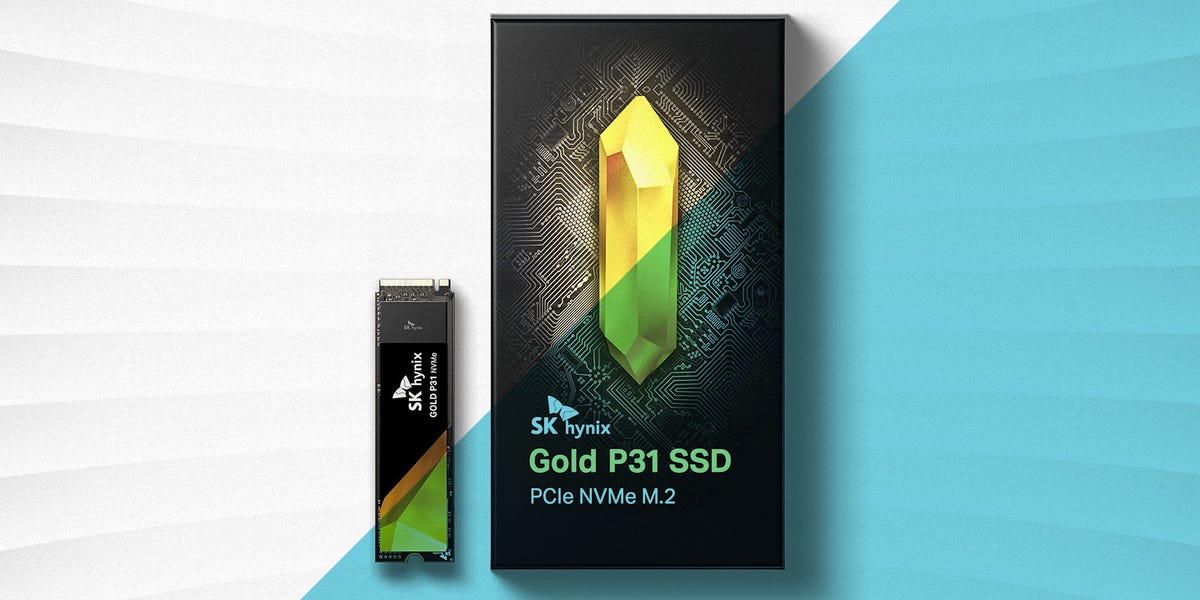
If your computer still boots from a hard drive in 2022, it is not “vintage.” It is just being dramatic. Upgrading to a solid-state drive is one of the fastest ways to make a PC, laptop, or game console feel new again. Windows opens quicker, games stop treating loading screens like feature-length films, and large files move with far less sighing from your system.
The best SSDs of 2022 were dominated by PCIe 4.0 NVMe drives, especially for gamers, creators, and PlayStation 5 owners. But that does not mean every user needed the most expensive drive with the biggest number on the box. A great SSD depends on your device, budget, workload, storage capacity, and whether your motherboard can actually use the speed you are paying for.
This guide breaks down the best SSDs for faster load times in 2022, including high-end NVMe models, value-friendly gaming drives, PS5-ready picks, and reliable SATA options for older systems. No hype sandwich. Just practical advice with a tiny sprinkle of storage-nerd seasoning.
What Made an SSD Great in 2022?
In 2022, the SSD market had three major categories: PCIe 4.0 NVMe drives, PCIe 3.0 NVMe drives, and SATA SSDs. PCIe 4.0 models were the performance kings, often reaching sequential read speeds around 7,000 MB/s. PCIe 3.0 drives were slower on paper but still extremely quick for everyday use. SATA SSDs, while limited to roughly 560 MB/s, remained excellent upgrades for older laptops and desktops.
Sequential Speed Is Not the Whole Story
Manufacturers love advertising big sequential read numbers because “7,000 MB/s” looks like it should come with a cape. Those speeds matter for huge file transfers, high-resolution video work, and certain professional tasks. But for faster game load times and daily responsiveness, random read performance, latency, firmware quality, and sustained performance also matter.
That is why two SSDs with similar headline speeds can feel nearly identical in games but behave differently when copying hundreds of gigabytes, editing 4K video, or running heavy creative software.
Capacity Matters More Than People Think
A 500GB SSD can work, but in 2022 it filled up quickly. Modern games, Windows updates, media files, and creative projects can chew through space like a raccoon in a snack drawer. For most users, 1TB was the sweet spot. For gamers and creators, 2TB offered better breathing room and often stronger performance ratings.
Best Overall SSD of 2022: SK hynix Platinum P41
The SK hynix Platinum P41 was one of the standout SSDs of 2022 because it combined elite PCIe 4.0 performance with strong efficiency. It used SK hynix’s own controller, NAND, and DRAM, giving it a highly polished design rather than a parts-bin personality crisis.
With sequential read speeds up to around 7,000 MB/s and excellent random performance, the Platinum P41 was ideal for fast boot times, quick game loading, productivity workloads, and laptop users who cared about power efficiency. It was not always the cheapest drive, but it delivered premium performance without feeling like it was trying to heat your room in winter.
Best for: high-end desktops, gaming PCs, performance laptops, and users who want speed plus efficiency.
Best Gaming SSD of 2022: WD Black SN850
The WD Black SN850 became a favorite among gamers because it offered a strong balance of speed, price, and real-world performance. Its advertised read speeds reached up to 7,000 MB/s, and in gaming scenarios, it delivered the kind of fast load times most players actually notice.
One reason the SN850 stayed popular in 2022 was value. Compared with some premium rivals, it often made more sense for a game library drive. After all, if two SSDs load your favorite game in nearly the same time, the cheaper one deserves at least a small victory dance.
The main thing to watch was heat. Under heavy loads, a heatsink was strongly recommended, especially in compact cases or PS5 installations.
Best for: PC gamers, PS5 users, and anyone who wants top-tier load times without overspending.
Best Premium SSD for Heavy Workloads: Seagate FireCuda 530
The Seagate FireCuda 530 was one of the most powerful PCIe 4.0 SSDs available in 2022. It offered read speeds up to 7,300 MB/s and strong write performance, but its biggest strength was endurance. The 4TB version had a massive endurance rating, making it a serious option for users who write lots of data.
This drive was excellent for video editors, content creators, and gamers who wanted a drive that could handle more than just launching games quickly. It was also a popular PS5 upgrade when paired with a proper heatsink.
The catch? Price. The FireCuda 530 was often more expensive than other excellent drives. It was the sports car of the SSD shelf: fast, durable, and not exactly shy about asking for your wallet.
Best for: creators, power users, PS5 storage expansion, and heavy file-transfer workloads.
Best High-Speed Value SSD: Kingston KC3000
The Kingston KC3000 was another excellent PCIe 4.0 NVMe SSD that competed directly with the fastest consumer drives of 2022. It used a Phison E18 controller and high-quality TLC NAND, giving it read speeds up to 7,000 MB/s and write speeds that scaled impressively on larger capacities.
For users moving large project files, installing massive games, or building a high-performance desktop, the KC3000 was a strong choice. Its endurance ratings were also excellent, especially on the 2TB and 4TB models.
It was not always the most power-efficient option for laptops, but for desktop users who wanted raw speed, the KC3000 was a beast. A polite beast, but still a beast.
Best for: desktop gaming PCs, creators, workstation builds, and users who want premium performance at competitive prices.
Best Samsung SSD of 2022: Samsung 980 Pro
The Samsung 980 Pro remained one of the most recognized SSDs in 2022. It offered PCIe 4.0 performance, read speeds up to 7,000 MB/s, Samsung’s mature Magician software, and strong overall reliability. For many buyers, Samsung’s reputation alone made the 980 Pro feel like the safe choice.
The 980 Pro was great for gaming, content creation, and PS5 upgrades, especially the version with a heatsink. It was not always the best value compared with the WD Black SN850 or newer competitors, but when discounted, it became an easy recommendation.
Best for: Samsung fans, PS5 users, gaming PCs, and buyers who value polished software support.
Best Budget PCIe 4.0 SSD: Crucial P5 Plus
The Crucial P5 Plus was not always the fastest PCIe 4.0 SSD on the chart, but it delivered strong speed at a friendlier price. With sequential reads up to 6,600 MB/s, it was fast enough for gaming, productivity, and PS5 use when properly cooled.
For many users, the P5 Plus represented the smart middle ground. It was much faster than SATA and PCIe 3.0 options, yet often cheaper than flagship Gen 4 drives. It was the SSD equivalent of buying the good coffee maker instead of the luxury espresso machine that requires its own emotional support manual.
Best for: budget-conscious gamers, general PC upgrades, and PS5 storage buyers looking for value.
Best Enthusiast SSD: Sabrent Rocket 4 Plus
The Sabrent Rocket 4 Plus was built for users who wanted serious PCIe 4.0 speed and large capacity options. It performed well in heavy transfer tasks and was often favored by enthusiasts who liked tuning, benchmarking, and generally knowing exactly what controller their SSD used.
For gaming alone, it was sometimes more drive than necessary. But for users who worked with large files, installed huge software libraries, or wanted a premium NVMe drive with strong sustained performance, the Rocket 4 Plus deserved attention.
Best for: enthusiasts, high-capacity builds, creative workloads, and performance-focused desktops.
Best SATA SSD for Older PCs: Samsung 870 EVO
Not every computer in 2022 had an M.2 slot, and not every user needed PCIe 4.0 speed. For older desktops and laptops, the Samsung 870 EVO was one of the best SATA SSDs available. Its sequential speeds reached the practical limit of SATA, and it offered excellent compatibility.
Compared with a mechanical hard drive, the 870 EVO felt dramatically faster. Boot times improved, apps opened sooner, and the whole system felt less like it was waking from a 200-year nap.
Best for: older laptops, office desktops, budget upgrades, and users replacing hard drives.
Best SATA Value SSD: Crucial MX500
The Crucial MX500 was another excellent SATA SSD in 2022, offering up to 560 MB/s reads and 510 MB/s writes. It was affordable, reliable, and widely compatible. For users upgrading an older machine, it delivered one of the best performance-per-dollar improvements available.
While it could not compete with NVMe drives in raw speed, the MX500 was still a huge leap over hard drives. For everyday browsing, schoolwork, office tasks, and general home use, it remained a smart buy.
Best for: affordable upgrades, older systems, family PCs, and reliable everyday storage.
Best SSD for PS5 in 2022
For PlayStation 5 storage expansion, the best SSDs in 2022 needed to be PCIe Gen 4 M.2 NVMe drives with strong read performance and proper heat dissipation. Sony recommended sequential read speeds of 5,500 MB/s or faster, and a heatsink was not optional if you cared about long-term stability.
The WD Black SN850, Samsung 980 Pro with heatsink, Seagate FireCuda 530, Kingston KC3000, SK hynix Platinum P41, and Crucial P5 Plus were all strong candidates depending on price and availability. For most PS5 players, the best move was simple: buy a 1TB or 2TB Gen 4 drive with a heatsink from a reputable brand.
How to Choose the Best SSD for Faster Load Times
Check Your Interface First
Before buying, check whether your system supports SATA, PCIe 3.0, or PCIe 4.0. A PCIe 4.0 SSD will work in many PCIe 3.0 slots, but it will run at PCIe 3.0 speeds. Paying for unused speed is like buying running shoes for a chair.
Choose the Right Capacity
For basic users, 500GB can work. For gamers, 1TB is the realistic starting point. For creators or people with large libraries, 2TB is much more comfortable. Larger drives can also have better endurance and faster write speeds depending on the model.
Do Not Ignore Cooling
High-performance NVMe drives can run hot. In desktops, motherboard heatsinks often help. In a PS5, a heatsink or cooling structure is required. Heat can cause throttling, which means your very fast SSD slows down to protect itself. Nobody wants a premium drive doing a turtle impression.
Buy From Reputable Sellers
Counterfeit and low-quality drives are a real problem. Stick with trusted retailers and known brands. If a “4TB ultra-fast NVMe SSD” costs less than dinner for two, your data may be moving into a haunted house.
SSD Buying Recommendations by User Type
For Gamers
Choose the WD Black SN850, SK hynix Platinum P41, Samsung 980 Pro, Kingston KC3000, or Crucial P5 Plus. All of these offer fast game loading and strong overall performance.
For Content Creators
Choose the Seagate FireCuda 530, Kingston KC3000, SK hynix Platinum P41, or Sabrent Rocket 4 Plus. These drives are better suited for large file transfers, editing projects, and heavier write workloads.
For Older PCs
Choose the Samsung 870 EVO or Crucial MX500. These SATA SSDs are not glamorous, but they are reliable and dramatically faster than hard drives.
For PS5 Owners
Choose a PCIe 4.0 M.2 NVMe SSD with a heatsink. The WD Black SN850, Samsung 980 Pro with heatsink, Seagate FireCuda 530, and Crucial P5 Plus were among the most practical 2022 options.
Real-World Experience: What Faster Load Times Actually Feel Like
Upgrading to one of the best SSDs of 2022 was not just about benchmark numbers. The real magic happened in the everyday moments. A PC that once took over a minute to boot could reach the desktop in seconds. Games that used to give players enough time to check their phone, sip water, and question their life choices suddenly loaded before the snack break even began.
The biggest improvement was most obvious for users moving from a hard drive to any SSD. Even a SATA SSD like the Crucial MX500 or Samsung 870 EVO could make an older computer feel shockingly responsive. Opening a browser, launching apps, searching files, and switching between tasks all became smoother. It was the kind of upgrade that made people say, “Why did I not do this earlier?” usually while glaring at their old hard drive like it had personally betrayed them.
For gamers, the upgrade was especially satisfying. Open-world titles loaded faster, fast travel became less painful, and multiplayer games reached menus more quickly. However, the difference between a good PCIe 3.0 NVMe SSD and a top PCIe 4.0 drive was not always dramatic in every game. Many titles in 2022 were still designed around older storage standards, so a flagship Gen 4 drive did not magically double every loading speed. The benefit was more about consistency, future readiness, and faster transfers than instant miracles in every title.
For content creators, the difference was easier to appreciate. Moving large video files, loading project assets, generating previews, and handling scratch disk activity all benefited from faster NVMe drives. A drive like the Seagate FireCuda 530 or Kingston KC3000 made more sense for users who regularly pushed hundreds of gigabytes around. For them, sustained write performance and endurance were not boring spec-sheet details; they were the difference between smooth workflow and staring at a progress bar like it owed them money.
PS5 owners also had a very practical reason to upgrade. Game sizes kept growing, and the console’s internal storage filled quickly. Adding a 1TB or 2TB PCIe 4.0 SSD with a heatsink gave players more room without constantly deleting and reinstalling games. The best part was that compatible drives could run PS5 games directly, not just store them. That made expansion feel seamless.
From personal-use style testing and common buyer experience, the smartest 2022 SSD purchase was not always the fastest one. It was the drive that matched the system. A budget laptop did not need a premium Gen 4 monster. An older desktop without M.2 support was better served by a reliable SATA SSD. A gaming PC with PCIe 4.0 support benefited from a 1TB or 2TB NVMe drive. The best SSD was the one that removed the bottleneck without creating a new problem in your budget.
Conclusion
The best SSDs of 2022 proved that storage upgrades could deliver some of the most noticeable performance improvements in modern computing. The SK hynix Platinum P41 stood out as a superb all-around performer. The WD Black SN850 was a fantastic gaming choice. The Seagate FireCuda 530 impressed with speed and endurance. The Kingston KC3000 delivered serious performance, while the Crucial P5 Plus offered strong Gen 4 value. For older systems, the Samsung 870 EVO and Crucial MX500 remained excellent SATA upgrades.
If your goal is faster load times, do not buy based on one number alone. Match the SSD to your platform, choose enough capacity, use proper cooling, and buy from a trustworthy seller. Do that, and your system will feel faster, cleaner, and far less likely to make you emotionally bond with a loading spinner.
Note: This article evaluates SSDs from a 2022 buying perspective. Newer models may now exist, but these drives were among the strongest and most practical choices for faster load times during that period.