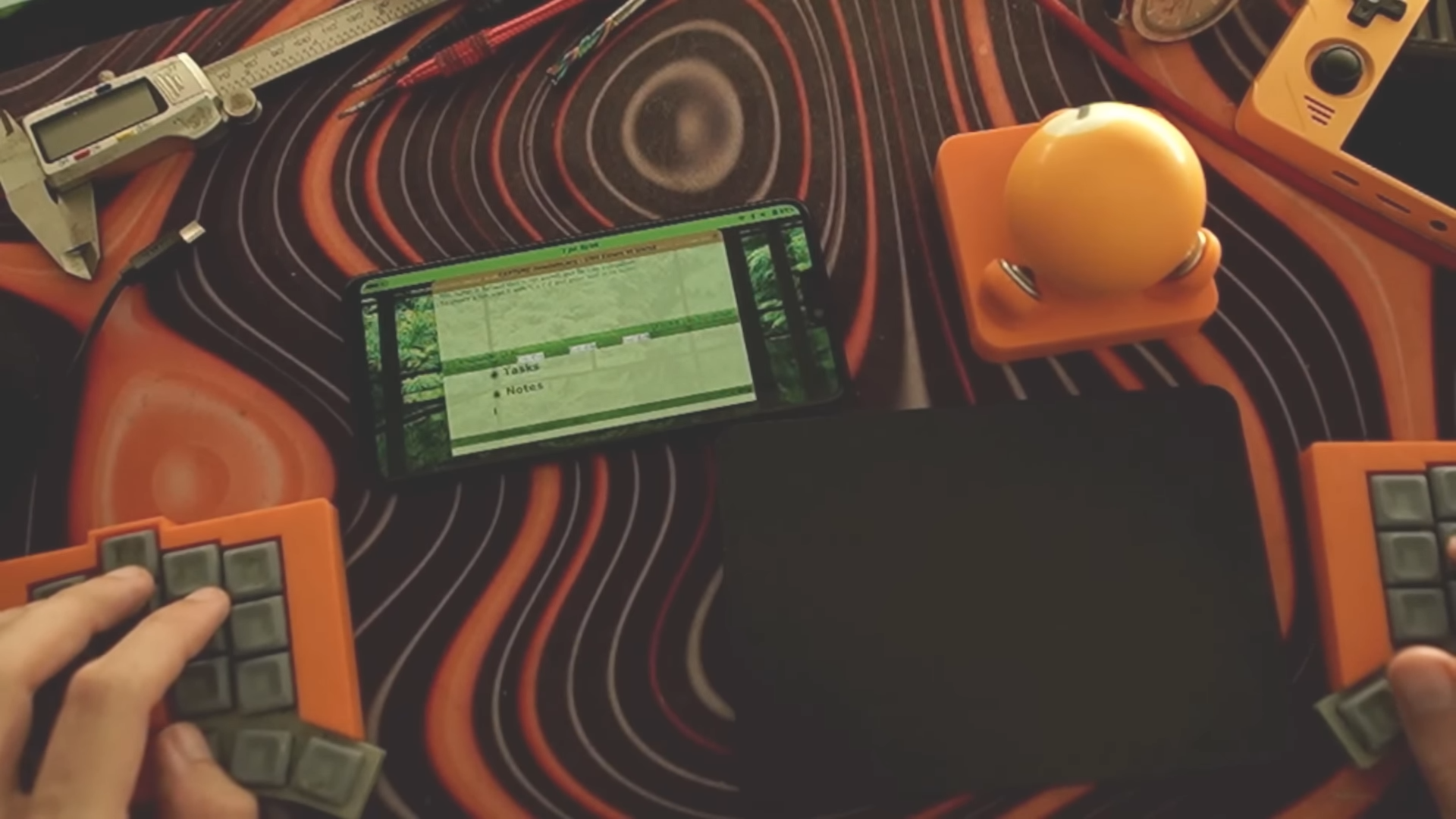
A pocket computer sounds like something a sci-fi novelist would invent after drinking too much espresso. But in this case, the hardware is not imaginary, exotic, or locked away in a secret lab. It is a OnePlus 6 smartphone, a 2018 Android flagship with a Qualcomm Snapdragon 845 processor, eight ARM CPU cores, up to 8 GB of LPDDR4X RAM, UFS storage, a 6.28-inch AMOLED display, USB-C, Wi-Fi, Bluetooth, sensors, a battery, and a body small enough to vanish into a jeans pocket. The twist is the operating system: instead of running Android as usual, this little slab of glass and silicon can be turned into a tiny Linux machine running NixOS Mobile.
The project gained attention because it reframes an old phone as something more interesting than a retired doom-scrolling rectangle. With NixOS, a smartphone becomes a reproducible, configurable, portable Linux computer. It is not a typical single-board computer, and it is not a polished consumer Linux phone either. It sits somewhere in the delightful hacker zone between “this should not work” and “wait, this is actually useful.”
For developers, Linux enthusiasts, homelab experimenters, and anyone with a drawer full of old devices quietly judging them, the idea is irresistible. Why buy another board, case, screen, battery, charger, and Wi-Fi dongle when an old flagship phone already has all of that built in?
What Is This 8-Core ARM Pocket Computer?
The “8-core ARM pocket computer” in question is best understood as a repurposed OnePlus 6. The OnePlus 6 uses the Qualcomm Snapdragon 845 mobile platform, an octa-core 64-bit ARM chip that was high-end hardware when the phone launched. It includes Kryo 385 CPU cores, Adreno 630 graphics, and enough performance to handle far more than messaging apps, camera filters, and the sacred daily ritual of checking whether Wi-Fi is working by opening a browser tab.
In its stronger configuration, the OnePlus 6 shipped with 8 GB of RAM and up to 256 GB of UFS 2.1 storage. That is a very respectable platform for lightweight Linux tasks. It can run editors, shells, small development environments, command-line utilities, network tools, local services, and experimental desktop-style workflows. Add a Bluetooth keyboard or USB-C hub, and the phone starts feeling less like a phone and more like a pocket-sized terminal with a built-in UPS.
Why the OnePlus 6 Matters
The OnePlus 6 is especially appealing because it has an active history in the mobile Linux and custom firmware communities. Its device codename, “enchilada,” appears across custom ROM, Mobile NixOS, and postmarketOS documentation. That matters because running Linux on a phone is not like installing Linux on a spare laptop. Phones have strange boot chains, vendor firmware, partition layouts, device trees, display quirks, modem limitations, power-management puzzles, and camera pipelines that can make even patient developers mutter into their coffee.
Compared with many forgotten Android devices, the OnePlus 6 has a better foundation for experimentation. It is powerful, widely available on the used market, documented by several community projects, and old enough that many owners are willing to risk flashing it. That last part is important. Nobody wants to turn their daily phone into a shiny paperweight unless they have backup plans and a heroic tolerance for bootloader menus.
Why Run NixOS on a Phone?
NixOS is not just another Linux distribution with a different wallpaper and a brave new package manager logo. Its defining feature is declarative configuration. Instead of manually installing packages, tweaking settings, forgetting what changed, and later whispering “what have I done?” into a terminal, NixOS lets users describe the system in configuration files. The operating system can then be rebuilt from that description.
That model is powerful on laptops and servers, but it becomes fascinating on a phone. A NixOS-powered pocket computer can share parts of the same configuration used on a desktop workstation. The same shell tools, editor setup, development packages, user preferences, and services can be defined in code. In practical terms, your phone does not merely become “Linux-ish.” It can become your Linux environment, miniaturized.
Reproducibility in Your Pocket
The strongest argument for NixOS on mobile hardware is reproducibility. If a configuration works, it can be stored in Git, reviewed, changed, rolled back, and rebuilt. That is a major advantage for people who treat computers as long-term systems rather than disposable app launchers. On a tiny ARM device, reproducibility also reduces the pain of experimentation. You can test packages, services, and window managers with less fear because your desired system state is written down.
This is not magic, of course. Hardware support still matters. A perfect configuration file cannot summon a fully working camera driver out of thin air. But it can make the software side of the experiment much cleaner. For tinkerers, that is half the battle. The other half is usually finding the right cable.
How the NixOS Mobile Setup Works
The general process involves building a NixOS Mobile image for the OnePlus 6, flashing it to the device, and then using the familiar NixOS configuration workflow to shape the system. MWLabs’ “phoneputer” approach demonstrates this concept with a minimal base image, fastboot flashing, and later rebuilding on the phone itself as an aarch64 Linux machine.
That workflow is more advanced than installing a normal mobile app. It requires comfort with the command line, bootloaders, Android platform tools, device-specific images, and the knowledge that flashing partitions can erase data. Anyone attempting it should back up everything first. Not “I think my photos are probably in the cloud” backed up, but actually backed up.
The Basic Technical Flow
A typical setup follows a pattern like this: prepare a Linux machine with Nix, clone the configuration repository, build the Mobile NixOS image for the OnePlus 6 device target, boot the phone into fastboot mode, flash the needed images, and then continue configuration from the device. Once the phone boots, the user can rebuild the system with their chosen packages and settings.
The beauty of this approach is that the phone can become part of the same configuration ecosystem as other NixOS machines. Your desktop, laptop, server, and pocket computer can all share modules, package lists, shell preferences, and workflow assumptions. That is the kind of nerdy elegance that makes configuration-management fans smile in public for no obvious reason.
What Can You Actually Do With It?
An 8-core ARM phone running NixOS is not going to replace a high-end workstation. It will not compile gigantic codebases at desktop speeds, power multiple PCIe devices, or give you convenient GPIO pins like a Raspberry Pi-style board. But it does have strengths that make it surprisingly useful.
Portable Development Environment
With a keyboard, terminal, and lightweight editor, the phone can become a portable coding environment. It is suitable for editing scripts, writing documentation, testing small projects, using Git, running SSH, working with Markdown, managing dotfiles, or experimenting with Nix expressions. The screen is small, yes, but the point is not luxury. The point is having a real Linux environment in a device you can carry anywhere.
Mini Homelab Node
The OnePlus 6 can also behave like a small homelab machine. It already includes a battery, Wi-Fi, storage, a display, and a compact enclosure. That makes it interesting for lightweight services such as a local dashboard, small web server, SSH box, synchronization node, monitoring endpoint, or testing environment. Since power consumption is low compared with many desktop machines, it can run quietly without demanding a corner of your desk like a tiny space heater.
Linux Learning Device
For students and self-taught Linux users, this kind of project is a hands-on lesson in how operating systems meet hardware. You learn about boot images, filesystems, package management, ARM architecture, device support, mobile user interfaces, networking, and system rebuilds. It is much more educational than watching a video titled “Linux Explained in 11 Minutes,” although admittedly less comfortable.
NixOS vs. postmarketOS: Different Strengths
postmarketOS is one of the best-known Linux distributions for smartphones. It is based on Alpine Linux and has done valuable work in making old phones usable with mainline Linux. For many users, postmarketOS is the more direct path to a mobile Linux experience because it focuses heavily on phone hardware support and mobile user interfaces.
NixOS Mobile approaches the problem from a different angle. Its appeal is not only “Linux on a phone,” but “a reproducible Nix-style system on a phone.” That distinction matters. If your main priority is phone-like functionality, postmarketOS may feel more natural. If your main priority is carrying a version-controlled Linux environment in your pocket, NixOS becomes very compelling.
The Convergence Angle
The dream of convergence has been around for years: one device, multiple modes, phone when mobile, desktop when docked. Many companies have promised it; few have made it feel effortless. NixOS on the OnePlus 6 offers a hacker-friendly version of convergence. It does not pretend to be a polished commercial product. Instead, it says: here is the same system logic you use elsewhere, now squeezed into a phone. Bring your own keyboard, patience, and sense of humor.
The Practical Limits
As exciting as the project is, it comes with real limitations. Not every phone feature works perfectly under mobile Linux. Reports around OnePlus 6 Linux experiments often mention uneven support for cameras, mobile data, sleep behavior, modem features, audio routing, and other hardware details. A phone is full of specialized components, and Android vendors do not always make those components easy to support in a standard Linux environment.
That means this project is best treated as a pocket Linux computer first and a phone second. SMS may work in some configurations, but 4G data, cameras, and other daily-driver expectations may be incomplete or inconsistent. If you need a reliable phone for calls, banking apps, emergency use, and navigation, keep a normal phone nearby. The NixOS OnePlus 6 is more of a tiny workstation than a replacement for your main mobile device.
Flashing Risks
There is also the risk of data loss or device trouble during flashing. Mobile NixOS documentation warns that installation methods involve flashing partitions and can erase data. This is not a casual “click update and make tea” operation. You should know how to use fastboot, understand recovery options, and accept that mistakes can take time to fix.
Why Old Phones Make Great Experimental Computers
The broader lesson is that old smartphones are underused computers. A retired flagship may have more compute power than many small boards, while also including a screen, battery, touch input, Wi-Fi, Bluetooth, speakers, microphones, cameras, sensors, and storage. When the original Android support window ends, the hardware often remains perfectly capable.
Turning those devices into Linux machines can reduce e-waste and create affordable learning platforms. A used OnePlus 6 may cost less than a new development board once you include accessories. It also gives experimenters a compact, self-contained machine that does not need a separate monitor or power supply to be useful.
Not a Raspberry Pi Replacement, But a Different Tool
A smartphone is not a direct Raspberry Pi replacement. It lacks convenient GPIO headers, standard expansion options, and the simple hardware openness that many maker projects need. But for networked software experiments, portable Linux shells, writing, scripting, and NixOS configuration practice, it can be excellent. Think of it as a pocket server-terminal hybrid rather than a breadboard companion.
Best Use Cases for an 8-Core ARM NixOS Pocket Computer
The best use cases are the ones that match the hardware’s strengths. For example, the device can serve as a portable SSH client for managing servers. It can run a small local web app for demos. It can store and edit documentation. It can act as a travel-friendly writing terminal. It can test ARM Linux packages. It can be used as a Nix learning platform where breaking things is part of the curriculum.
Developers working with ARM deployments may find it useful for quick sanity checks. Homelab users may use it as a monitoring screen or low-power node. Writers who love mechanical keyboards and weird setups may enjoy using it as a distraction-free drafting machine. Is it practical? Sometimes. Is it charming? Absolutely.
Experience: Living With a NixOS Phoneputer Mindset
The most interesting experience related to an 8-core ARM pocket computer running NixOS is not the first successful boot. That moment is exciting, of course. The screen lights up, Linux appears where Android used to live, and for a few seconds you feel like you have personally bent reality. But the deeper experience begins afterward, when you start asking what this tiny machine should actually do.
At first, the device feels strange. A phone is familiar in your hand, but NixOS changes the relationship. Instead of tapping icons, you think in services, packages, rebuilds, shells, keys, and configuration files. You may pair a Bluetooth keyboard and suddenly the phone becomes a micro laptop without a hinge. You may connect over SSH and realize the small screen barely matters because the device is now a networked Linux box. That shift is oddly satisfying. The same hardware that once begged for app updates and attention can now sit quietly running useful tools.
The strongest practical experience is portability. A NixOS pocket computer can travel from desk to café to backpack without needing a separate display or power bank for short sessions. It can hold notes, scripts, Git repositories, and test services. It can become a rescue terminal when another machine misbehaves. It can be a writing station when paired with a compact keyboard. It can be a low-risk place to test Nix modules before applying similar ideas to a desktop or server.
There are annoyances too, and pretending otherwise would be silly. Mobile Linux is still full of rough edges. Touch interfaces can feel inconsistent. Some desktop applications were clearly designed by people who assumed everyone owns a monitor the size of a small window. Battery behavior may not match Android. Hardware features may work one week and become mysterious the next after a rebuild. The camera may be absent, the modem may be limited, and the phrase “almost working” may become part of your personality.
Yet those limitations are also part of the appeal. The project teaches patience and systems thinking. You learn that phones are not simple computers with smaller screens; they are complicated collections of specialized hardware held together by vendor firmware, kernel work, and community persistence. You also learn why reproducible configuration matters. When something works, you want to preserve it. When something breaks, you want to know what changed. NixOS gives you a better chance of answering that question without reading your shell history like an archaeological scroll.
In daily use, the best attitude is to treat the OnePlus 6 NixOS setup as a companion device, not a replacement for everything. Let it be a portable lab, a tiny server, a writing terminal, a Linux learning box, or a conversation starter that makes normal people slowly back away at parties. Used that way, it is genuinely rewarding. It gives old hardware a second life and makes the idea of personal computing feel playful again.
Conclusion
The story of an 8-core ARM pocket computer running NixOS is really a story about using hardware more creatively. The OnePlus 6 was designed as an Android flagship, but its Snapdragon 845 processor, 8 GB RAM option, built-in screen, battery, and compact body make it a surprisingly capable Linux experiment. With NixOS Mobile, it becomes more than an old phone. It becomes a reproducible pocket workstation, a learning device, a tiny homelab node, and a reminder that “obsolete” often means “waiting for a better idea.”
This setup is not for everyone. It requires technical confidence, backups, flashing tools, patience, and realistic expectations about mobile hardware support. But for the right user, it is exactly the kind of project that makes computing fun: practical enough to use, weird enough to enjoy, and small enough to carry around like a secret Linux lair.
Note: This article is intended for informational and editorial use. Anyone attempting a similar installation should verify current device support, read the latest Mobile NixOS documentation, and back up all data before flashing any partitions.