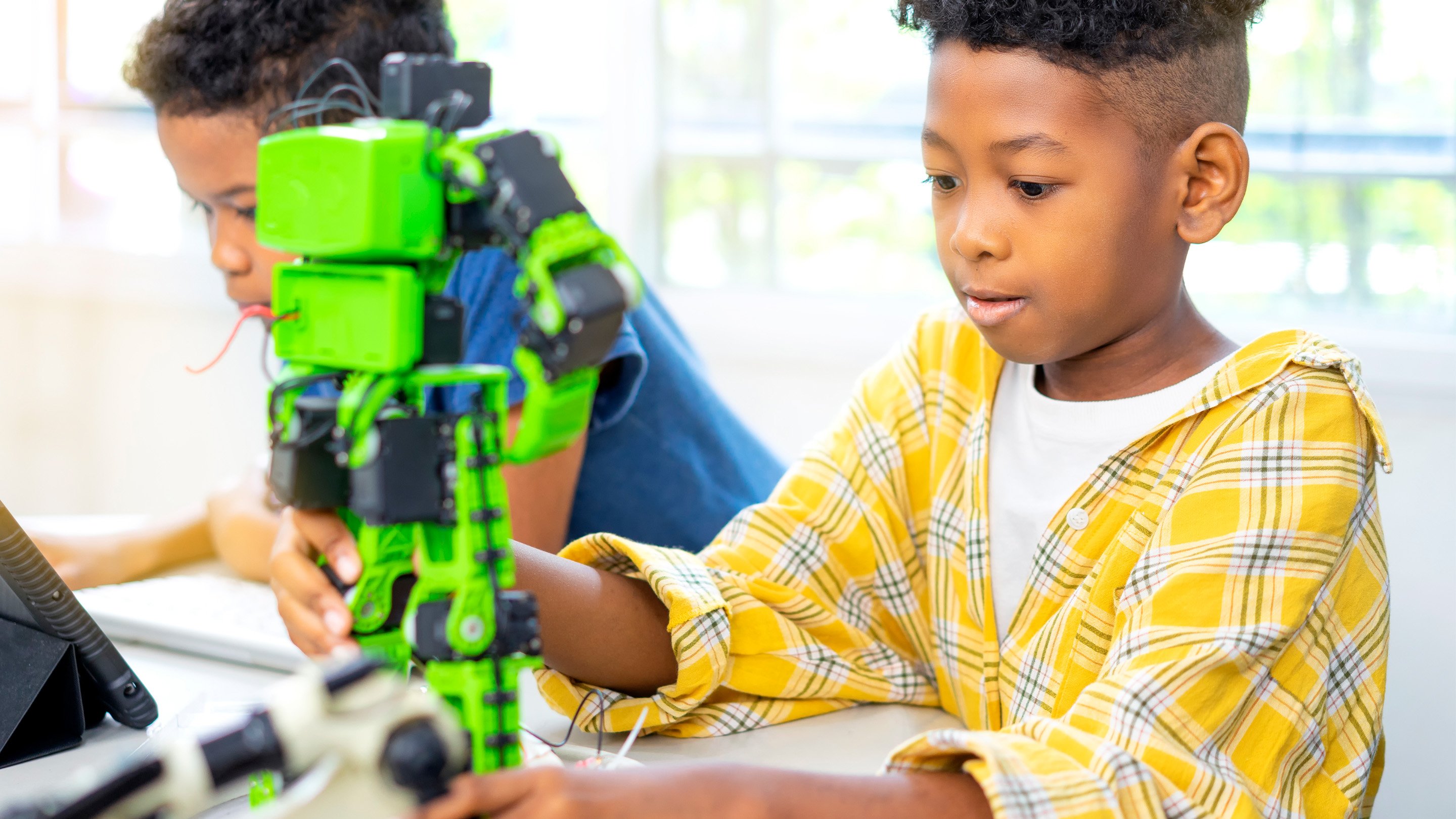
Give an elementary student a worksheet, and you may get a completed worksheet. Give that same student a robot, a real problem, and permission to experiment, and you may get an engineer, storyteller, programmer, designer, and very enthusiastic button-pusherall before lunch.
Robotics project-based learning, commonly called robotics PBL, combines hands-on engineering with sustained investigation. Instead of following instructions to build one predetermined machine, students investigate an authentic question, create a robotic solution, test it, learn from failure, and present what they discovered. Robotics naturally connects computer science, engineering, mathematics, science, literacy, and creative design, while high-quality PBL gives those subjects a meaningful purpose.
The result is not simply a robotics lesson. It is a miniature innovation studio where young learners practice curiosity, collaboration, communication, and persistenceoften while searching under desks for one extremely important plastic wheel.
What Is Robotics PBL?
Robotics PBL is an instructional approach in which students use robotics to investigate and respond to a challenging problem over an extended period. The project may last several class periods, a few weeks, or an entire interdisciplinary unit.
A traditional robotics activity might ask students to assemble a vehicle and program it to move forward. A PBL version begins with a broader challenge, such as:
- How could a robot deliver medicine during a flood?
- How can we design a machine that helps clean our classroom?
- What kind of rover could explore an unknown planet?
- How might a robot help an animal move safely through its habitat?
- Can we build a robotic system that reduces wasted water?
Students still learn how motors, sensors, sequences, loops, and mechanical systems work. However, those skills become tools for solving a problem rather than isolated facts to memorize.
Robotics Is the Vehicle, Not the Destination
The goal of an elementary robotics project should not be to produce 25 identical robots that travel exactly 36 inches and then stop. That may demonstrate a programming skill, but it leaves little space for student decision-making.
In PBL, the robot supports a larger learning journey. Students define the problem, research users and environments, compare possible solutions, build prototypes, collect evidence, revise their designs, and explain their reasoning. PBLWorks identifies elements such as a challenging problem, sustained inquiry, authenticity, student voice, reflection, critique, revision, and a public product as central features of strong project-based learning.
Why Robotics PBL Works Well in Elementary School
It Makes Abstract Thinking Visible
Children cannot hold an algorithm in their hands, but they can watch a robot follow one. When the machine turns left instead of right, students receive immediate and wonderfully unfiltered feedback. The robot does not politely pretend the instructions were clear.
This physical response helps students see the relationship between a command and its result. Programming ideas such as sequencing, repetition, events, conditionals, and debugging become observable actions. Block-based environments such as Scratch and elementary computer science curricula such as Code.org also introduce coding through visual, creative, and age-appropriate experiences.
It Encourages Productive Failure
Robotics rarely works perfectly on the first attempt. Wheels slip. Sensors misread surfaces. Attachments fall off. Code blocks end up in the wrong order. In an effective classroom, these moments are treated as evidence rather than disasters.
Students learn to ask useful questions: What happened? What did we expect? Which variable should we change? How can we test that change fairly? The engineering design process turns “It didn’t work” into “We found something to investigate.” That small shift can strengthen persistence across academic subjects.
It Integrates Several Subjects Naturally
A well-designed robotics PBL unit can include:
- Science: forces, motion, energy, habitats, weather, sound, light, and simple machines.
- Mathematics: distance, angles, measurement, perimeter, data tables, fractions, patterns, and estimation.
- Computer science: algorithms, loops, events, debugging, decomposition, and testing.
- English language arts: research, vocabulary, explanatory writing, opinion writing, speaking, and listening.
- Art and design: sketching, model construction, visual communication, and storytelling.
- Social-emotional learning: teamwork, self-management, feedback, role negotiation, and reflection.
For example, an Edutopia unit for second graders combined robotics with science, literacy, philosophy, opinion writing, and discussion around whether robots are helpful or harmful. Educational robotics has also been used to connect programming with literary characters and story plots.
It Gives Different Learners Different Ways to Contribute
Not every child must be the fastest coder. A project team also needs a builder, researcher, materials manager, data recorder, tester, illustrator, speaker, and professional finder of missing pieces.
This variety can create more entry points for students who are still developing English proficiency, fine-motor control, reading confidence, or technical experience. The strongest projects rotate roles so that every student practices several skills rather than becoming permanently assigned as “the kid who holds the tablet.”
How to Design an Elementary Robotics PBL Unit
1. Begin With a Meaningful Driving Question
A good driving question should be open-ended, understandable, and connected to a problem students can investigate. It should allow multiple possible solutions.
Compare these two prompts:
Weak prompt: Can you build the robot shown on page 12?
Stronger prompt: How can we design a robot that moves supplies safely across dangerous terrain?
The second question creates a reason to study traction, stability, weight, measurement, sensors, and programming. It also invites students to make decisions.
2. Define the Learning Targets Before Choosing the Robot
Teachers should determine what students must understand before selecting equipment or planning an elaborate final product. Otherwise, the project can become technology theater: plenty of flashing lights, but nobody can explain what was learned.
Possible learning targets include:
- I can create and test a sequence of commands.
- I can explain how a sensor provides information.
- I can measure distance and compare test results.
- I can define a problem with criteria and constraints.
- I can use evidence to improve a design.
- I can explain my team’s choices to an audience.
Elementary engineering standards emphasize defining simple problems, comparing solutions, planning tests, and improving designs. ISTE and CSTA standards likewise support innovative design, computational thinking, algorithms, programming, testing, and collaboration.
3. Introduce Skills Through Mini-Lessons
PBL does not mean placing unopened robotics kits on a table and announcing, “Discover engineering!” Young students need short, focused instruction at the moment it becomes useful.
Mini-lessons may cover:
- Connecting motors and sensors safely
- Creating a basic movement sequence
- Using loops to repeat an action
- Measuring travel distance
- Changing speed or direction
- Reading a color, touch, light, or distance sensor
- Recording test data
- Giving kind, specific design feedback
Keep demonstrations brief and immediately allow students to apply the skill. A ten-minute explanation followed by twenty minutes of testing is usually more useful than a forty-minute lecture on why robots are exciting.
4. Use the Engineering Design Cycle
An elementary-friendly cycle might include six stages:
- Ask: What problem are we solving?
- Imagine: What solutions are possible?
- Plan: What will we build and test?
- Create: Build and program a prototype.
- Test and improve: Gather evidence and revise.
- Share: Explain the solution and learning.
Students should revisit these stages rather than marching through them once. Real design is gloriously untidy. A team may begin testing, discover that its plan is impossible, return to brainstorming, rebuild half the machine, and then realize the original wheel was attached backward.
5. Build Reflection Into Every Session
Without reflection, a robotics class can become a busy room full of moving objects. With reflection, activity becomes learning.
Useful exit questions include:
- What did your team change today?
- What evidence influenced that decision?
- Which failure taught you the most?
- What problem will you investigate next?
- How did you help your team?
Students can respond in engineering notebooks, photographs, diagrams, voice recordings, short videos, or group discussions. Writing does not need to be lengthy to reveal deep thinking.
Five Robotics PBL Ideas for Elementary Students
1. The Classroom Cleanup Robot
Driving question: How could a robot help keep a shared space organized?
Students identify a classroom cleanup problem, interview classmates, and create a robot or robotic attachment that pushes, carries, sorts, or signals. Younger students might build a model that moves paper blocks. Older students could use sensors to stop at collection zones.
This project connects measurement, force, simple machines, user needs, procedural writing, and environmental responsibility.
2. The Animal Adaptation Robot
Driving question: How can a robot imitate a feature that helps an animal survive?
Teams research an animal, identify a useful adaptation, and design robotic movement inspired by that feature. A robot may crawl, flap, grip, detect light, or cross a simulated habitat.
TeachEngineering offers an activity in which students create walking robots and test how different “shoes” affect movement across surfaces, connecting robotics with animal locomotion and habitat adaptation.
3. The Mars Supply Rover
Driving question: How can a rover transport a payload across an unfamiliar landscape?
Students study planetary exploration, design a terrain course, and program a robot to carry supplies without touching hazards. They measure distance, compare routes, calculate reliability, and revise their code.
NASA and the Jet Propulsion Laboratory provide STEM resources that use space missions, rovers, tools, and transport challenges to connect engineering decisions with authentic exploration goals.
4. The Accessible Playground Assistant
Driving question: How could a robotic device make play more accessible?
Students observe playground routines, learn about diverse user needs, and design a model that carries equipment, gives a signal, opens a gate, retrieves an object, or supports inclusive games.
The project should focus on designing with people rather than assuming what people need. Students can develop interview questions, create user profiles, and receive feedback on early prototypes.
5. The Robot Story Theater
Driving question: How can robotic movement help us communicate a story?
Teams adapt a folktale, science concept, or original story into a robotic performance. They program characters to move, respond to sensors, produce light, or trigger sound while narrators explain the plot.
This approach makes robotics accessible to students who are drawn to writing, art, drama, or storytelling. It also requires careful sequencing: code and narrative must cooperate, which is sometimes more challenging than convincing eight-year-olds to agree on a character’s name.
Choosing Robotics Tools Without Letting the Tools Choose the Curriculum
Elementary robotics platforms vary widely. Some use screen-free wooden or plastic command blocks. Others use tablets, icon-based coding, word blocks, or more advanced programming environments.
Useful selection criteria include:
- Age-appropriate construction pieces and controls
- Simple setup and reliable device connections
- Durability under enthusiastic handling
- Clear storage and inventory systems
- Accessible coding options
- Replacement-part availability
- Teacher training and lesson support
- Compatibility with the school’s devices
- Opportunities for open-ended design
LEGO Education SPIKE Essential, for example, is designed for elementary grades and combines building pieces, motors, sensors, a programmable hub, block coding, and cross-curricular lessons. FIRST LEGO League provides age-appropriate programs in which children investigate real-world problems while designing and coding robotic solutions.
However, expensive hardware is not required for every phase. Students can practice algorithms through unplugged games, make cardboard prototypes, draw interface ideas, build obstacle courses, or test robotic concepts with simulations. The intellectual work begins before a battery is charged.
Classroom Management for Robotics PBL
Create Small Teams With Rotating Roles
Teams of three or four are usually easier to manage than large groups. Assign roles such as lead builder, programmer, investigator, materials manager, or documentation specialist, then rotate them regularly.
Roles should create responsibility without limiting participation. The programmer should still contribute design ideas, and the builder should still understand the code.
Organize Parts Before Launching the Project
Use labeled bins, inventory cards, photographs of complete kits, and a consistent cleanup routine. Reserve the last five to ten minutes for saving programs, documenting progress, disassembling temporary builds when necessary, and checking parts.
A missing connector may be tiny, but it can bring tomorrow’s lesson to a dramatic halt.
Establish a Debugging Routine
Teach students to troubleshoot in a consistent order:
- Describe what the robot did.
- State what it was supposed to do.
- Check the physical construction.
- Check cables, batteries, and connections.
- Review the code one section at a time.
- Change only one variable.
- Test again and record the result.
This routine reduces random rebuilding and the popular debugging strategy known as pressing every button repeatedly.
Plan for Technology Failure
Prepare useful offline tasks for moments when devices refuse to connect. Teams can revise diagrams, calculate measurements, annotate code on paper, analyze test data, improve presentations, conduct research, or provide peer feedback.
The project should continue even when the robot takes an unscheduled personal day.
Assessing Robotics PBL Fairly
Do not grade only the final robot. A successful machine may hide weak teamwork or shallow reasoning, while a partially functioning prototype may represent excellent investigation and revision.
A balanced rubric can assess:
- Content knowledge: Does the student understand the science, mathematics, or computing concepts?
- Problem definition: Did the team identify users, criteria, and constraints?
- Design process: Did students plan, test, collect evidence, and revise?
- Programming: Can students explain the algorithm and debug it logically?
- Collaboration: Did members share responsibility and resolve disagreements constructively?
- Communication: Can students explain their solution clearly?
- Reflection: Can students identify what they learned and what they would improve?
Assessment evidence can include notebooks, code screenshots, photographs, test tables, observation notes, interviews, presentations, and individual reflections. Research supported through the National Science Foundation has examined project-based integrated robotics as a way to develop elementary students’ STEM learning, computational thinking, problem-solving, and attitudes toward STEM.
A Composite Classroom Experience: What Robotics PBL Really Feels Like
The following experience is a realistic composite based on common elementary robotics classroom patterns, not a claim of personal classroom teaching.
During the first session of a typical robotics PBL unit, students are usually thrilled by the equipment and only mildly interested in the driving question. A teacher may introduce a challenge such as designing a rescue robot that carries supplies across a model disaster zone. Within minutes, several teams will begin building before discussing the problem, one student will propose a robot with wings, and another will ask whether lasers are available.
This excitement is useful, but it needs structure. The most productive move is often to delay access to the robotics kits for a short investigation period. Students examine the terrain, identify hazards, measure the path, define the payload, and sketch competing ideas. When the kits finally appear, teams build with a clearer purpose.
The first prototypes are rarely elegant. One robot may be fast but unable to carry anything. Another may transport the payload but turn in a slow circle because its wheels are different sizes. A third may perform beautifully during practice and then freeze when visitors arrive, demonstrating that robots understand comic timing.
At this point, teacher language matters. Telling students how to fix every problem may produce functioning robots, but it removes the most valuable thinking. Better questions include, “What evidence do you have?” “Which part should you test first?” and “What changed between the successful and unsuccessful trials?”
Teams gradually become more systematic. They mark starting positions with tape, run three trials instead of one, calculate average distances, and change a single variable at a time. Students who initially shouted, “It’s broken!” begin saying, “The left wheel is slipping on the smooth surface.” That is a major academic achievement disguised as a mechanical complaint.
Collaboration also changes. Early disagreements often focus on ownership: who gets the tablet, who attaches the motor, and whose design is “the real one.” Rotating roles and requiring teams to compare two prototypes can redirect those conflicts. Students learn that rejecting an idea is different from rejecting a person.
Presentation day reveals learning that the finished machines alone cannot show. One team may explain that it reduced speed to improve control. Another may describe how moving the payload changed the robot’s balance. A team whose robot never completes the course may still present excellent data, explain three revisions, and propose a credible next step.
The most important lesson from these experiences is that robotics PBL should not be judged by whether every robot succeeds. It should be judged by whether students can think like designers: define a problem, create a testable idea, use evidence, revise intelligently, and communicate what happened.
Teachers also learn to start smaller. A first project does not need six sensors, a schoolwide competition, and a robot that makes pancakes. One motor, one meaningful question, and one well-designed test may produce deeper learning than a spectacular but unmanageable challenge.
Conclusion: Let Students Build Ideas, Not Just Robots
Robotics PBL for elementary students works best when technology is paired with authentic questions, explicit learning goals, thoughtful scaffolding, repeated testing, and meaningful reflection. The robot creates excitement, but the design process creates learning.
Students do not need to leave elementary school as professional programmers. They should leave believing that difficult problems can be investigated, that failure contains useful information, and that their ideas can improve through evidence and collaboration.
That mindset matters far beyond robotics. It belongs in science labs, writing workshops, mathematics lessons, community projects, and any future situation involving a complicated problemor a wheel that stubbornly refuses to turn.